
From inspection to recordkeeping, without the paperwork.
Stay Inspected gives field teams a simple way to complete inspections, document issues, submit results, and keep equipment records organized from one mobile workflow.
Simple in the field.
Powerful behind the scenes.
Stay Inspected turns the inspection process into a simple mobile workflow your team can complete from the field — helping you document equipment condition, capture issues, and maintain organized inspection records.
Set Up Your Fleet
Sign up and add the units your team needs to inspect. Each unit is assigned for quick identification within the Stay Inspected system.
Download the App
Install the Stay Inspected mobile app on your smartphone and give your team access to inspections wherever the equipment is working.
Identify the Equipment
Enter your company information, unit designation, and inspector name to access the appropriate inspection.
Start the Inspection
Date, time, and location information can be captured as the inspector begins the process and works through the inspection from their mobile device.
Inspect Each Item
Work through the inspection checklist and mark each item as pass or fail, creating a consistent process across your fleet.
Add Details When Needed
Passing items move the inspection forward while comments can be added to provide additional context and create a more complete inspection record.
Document Problems
When an item fails inspection, capture supporting information and photos so equipment issues are clearly documented.
Sign & Submit
Complete the inspection with the inspector's signature and submit the finished report to create a documented record that can be shared with designated recipients.
From the first inspection to the final report.
Stay Inspected keeps the entire inspection process in one simple mobile workflow. Identify the equipment, work through each inspection item, document problems when they are found, and submit a completed report from the field.
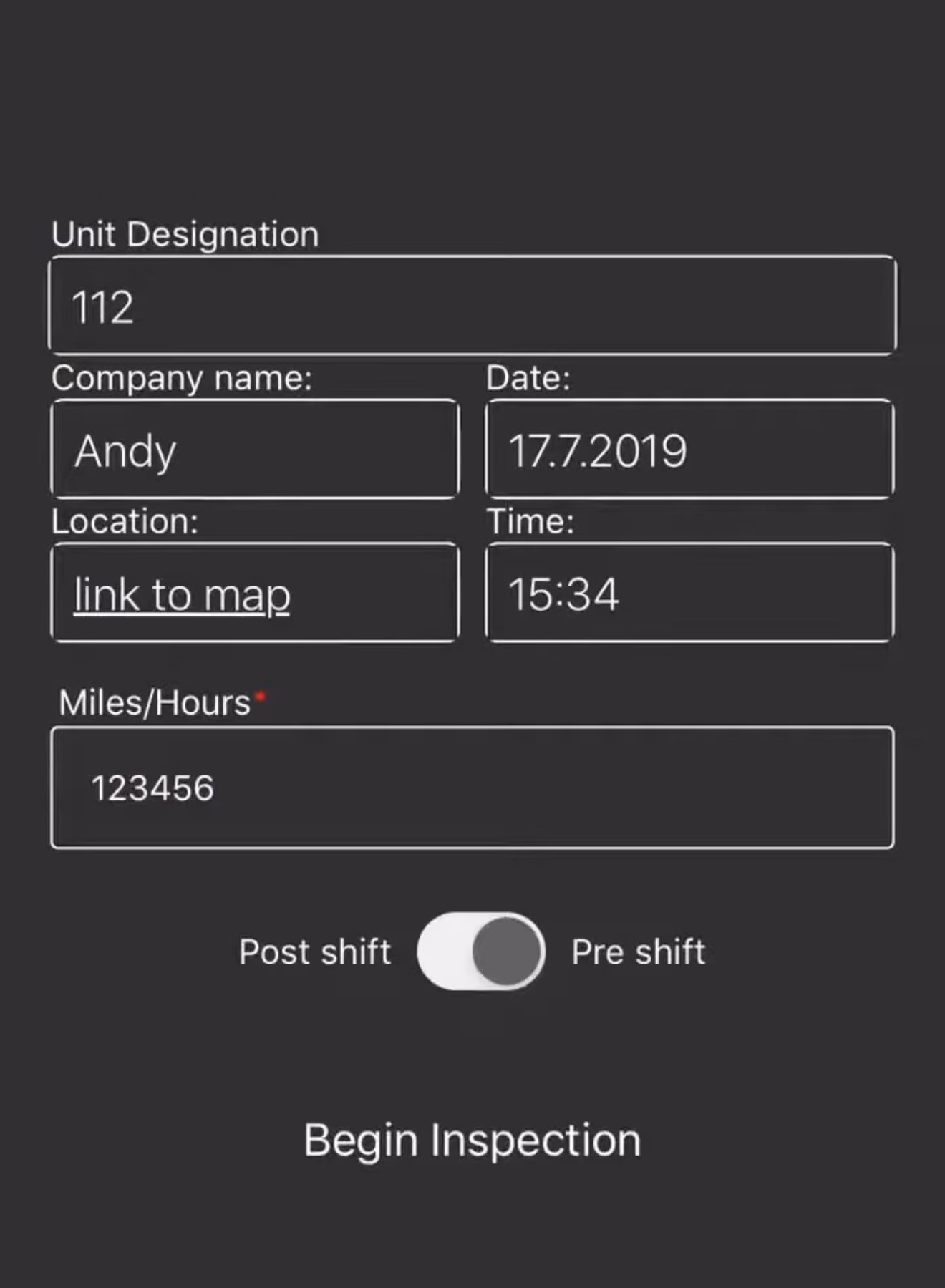
Start the Inspection
Identify the company, equipment or unit, and inspector before beginning the inspection workflow.
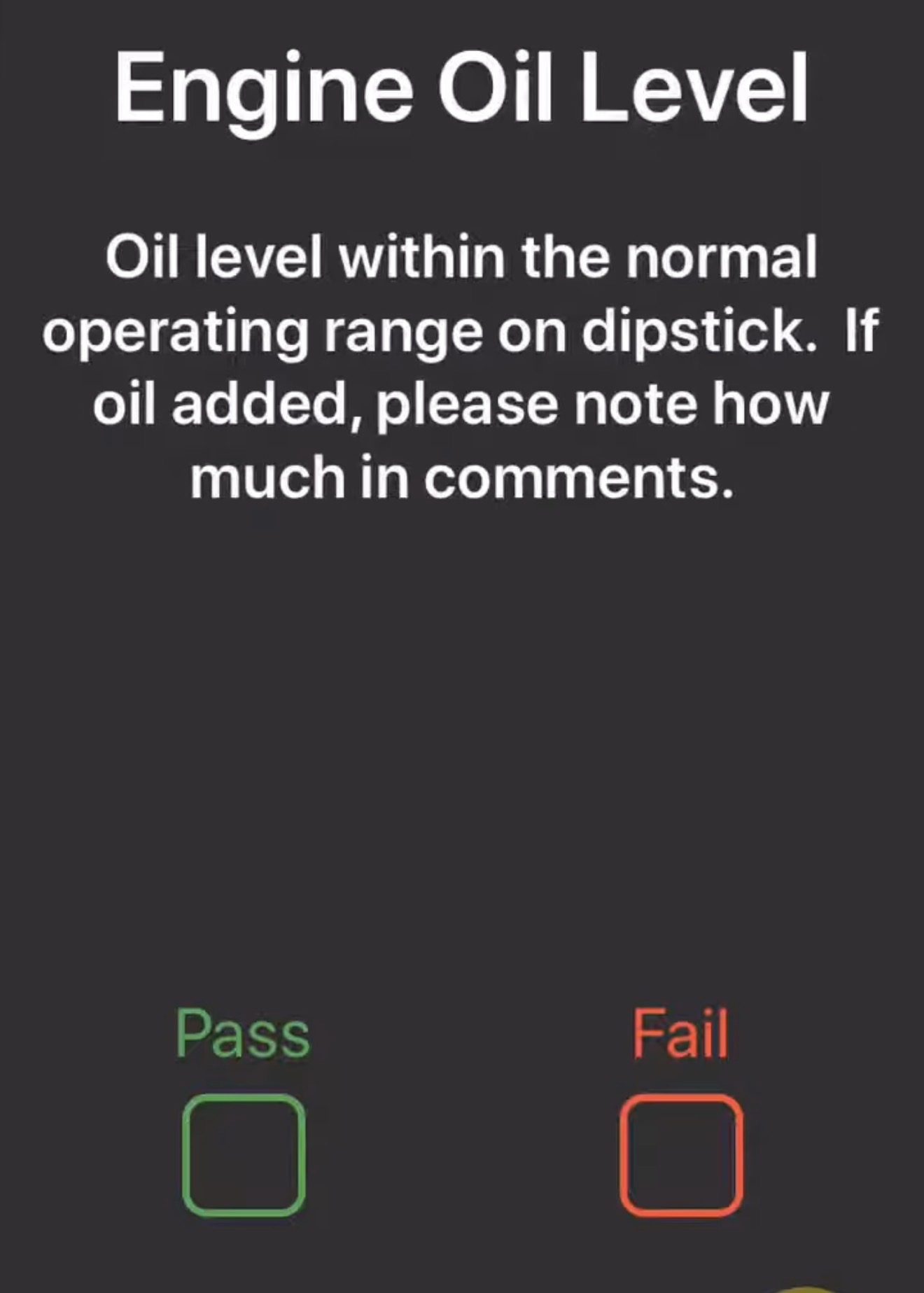
Inspect Each Item
Work through equipment-specific inspection questions and quickly mark each item as pass or fail.
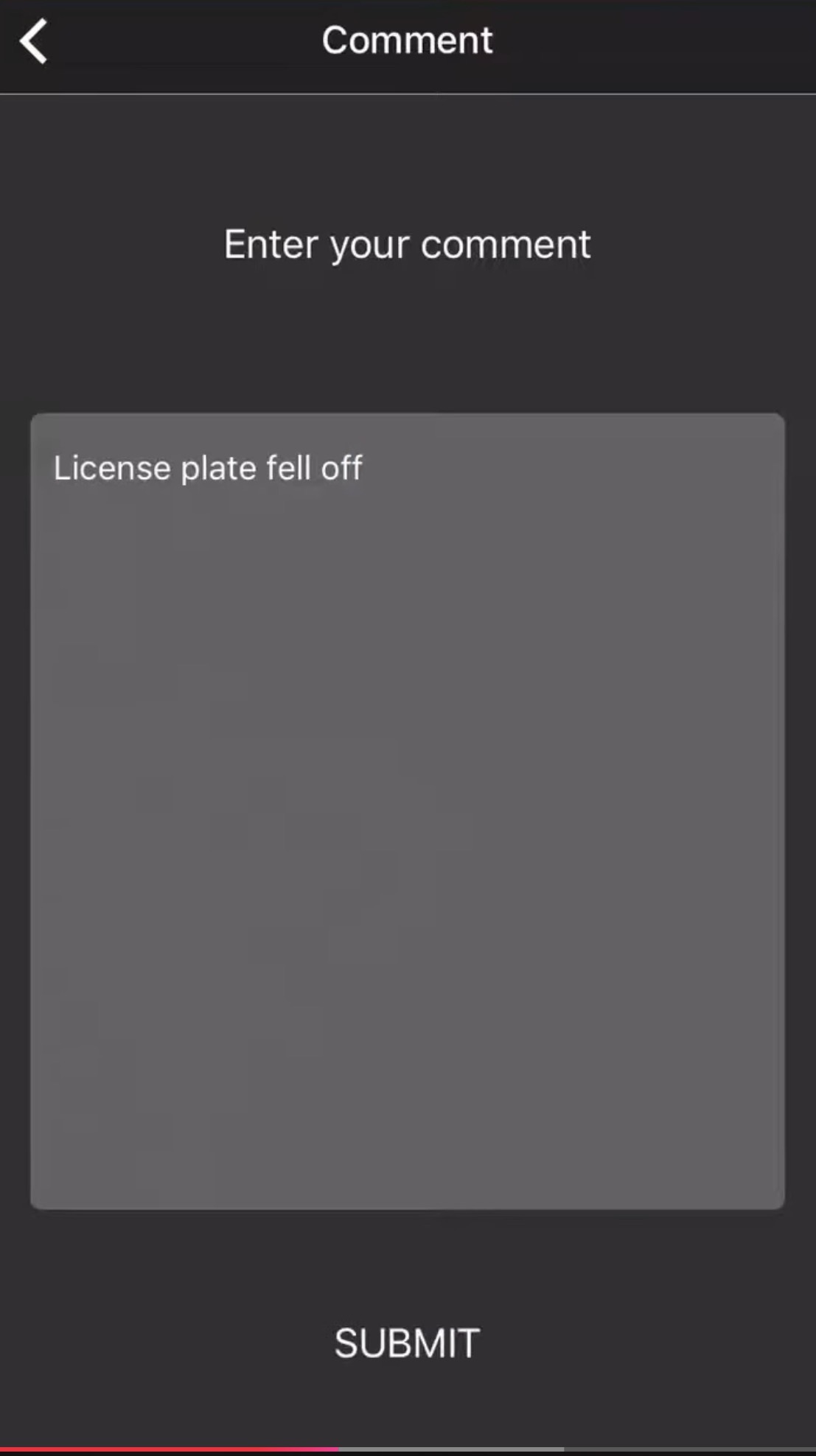
Document a Problem
Add comments when an issue is found so the inspection record clearly explains what needs attention.
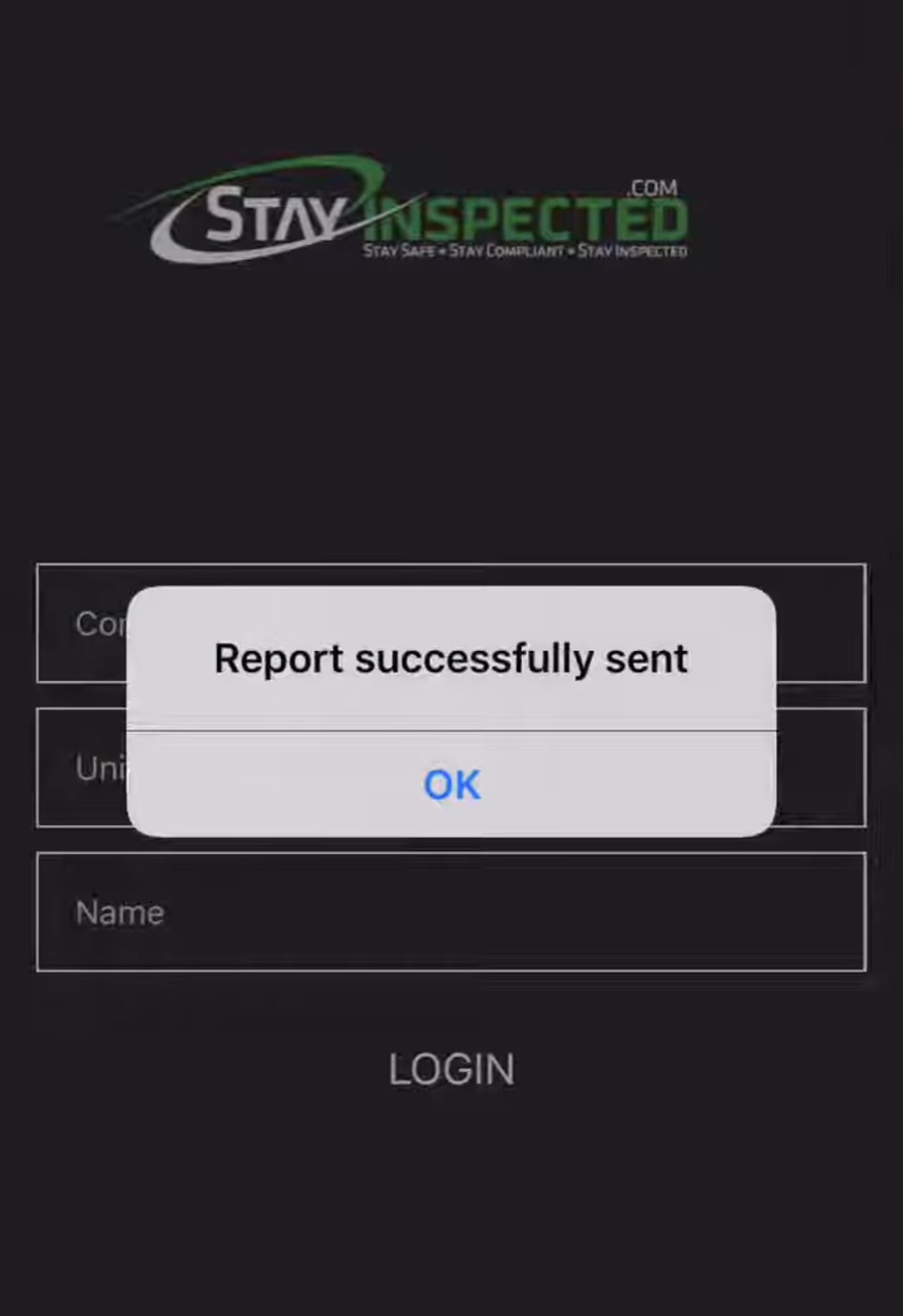
Submit the Report
Finish the inspection and send the completed report directly from the app, creating an organized record your team can reference later.
See a real inspection from start to finish.
Watch the Stay Inspected workflow in action and see how field teams can complete inspections, document issues, and submit reports without relying on paper forms.
Put your inspection process in one place.
Give your team a faster way to inspect equipment, document issues, and keep completed inspection records organized.